Workspaces Page, Claude’s Context, Interactive Planning, Keyboard Nav, and more!
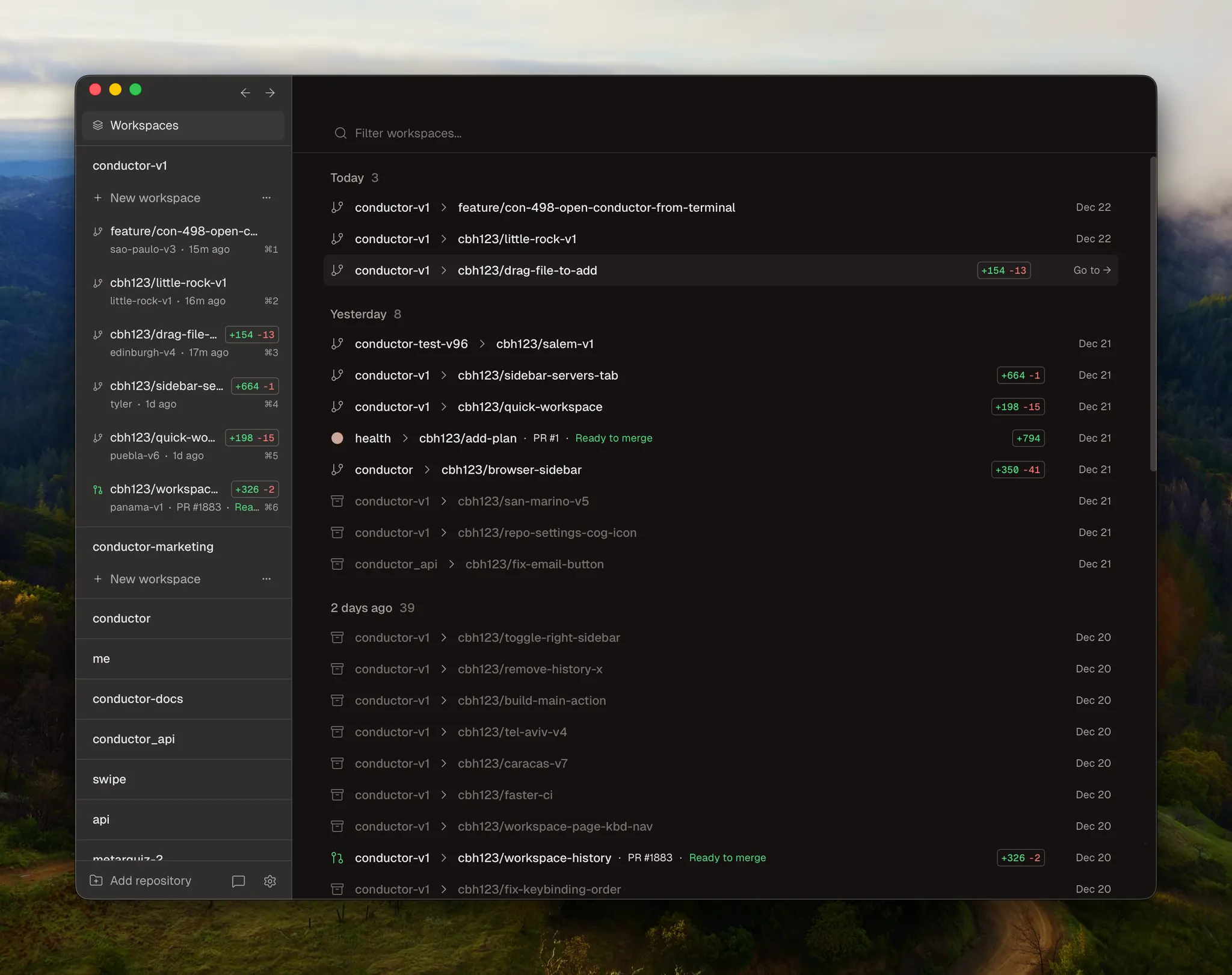
Workspaces page
Use the workspaces page to view a history of all of your workspaces. Open existing or un-archive old workspaces. Filter by repo, branch, or PR number.
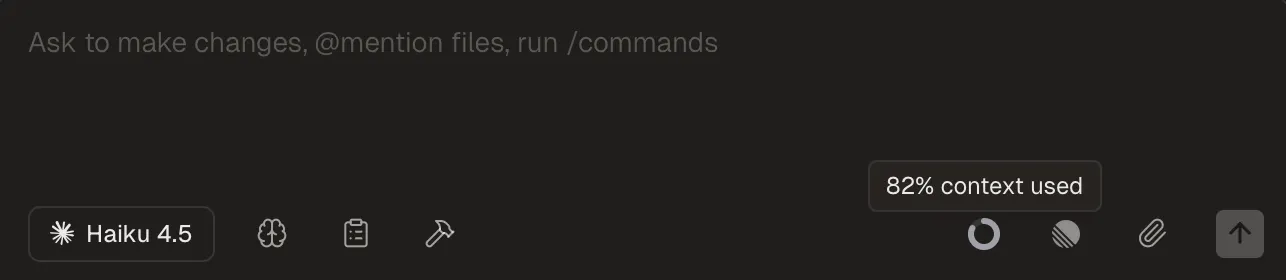
Context
You’ll now see an indicator in the Composer when Claude is close to running out of context.
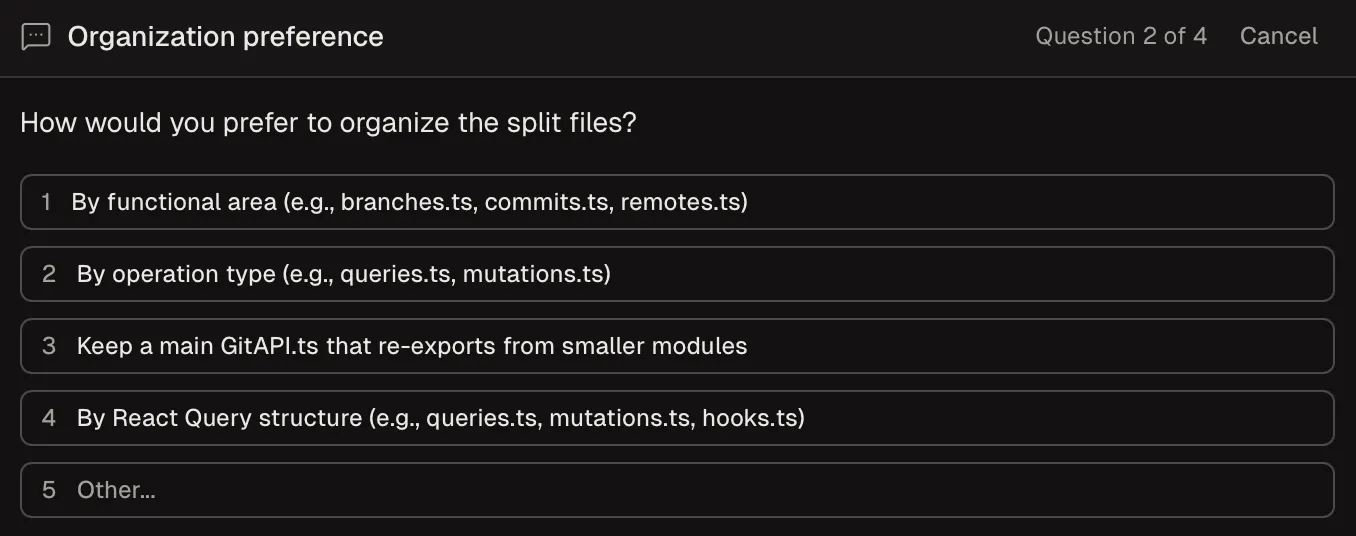
Interactive plan mode
Claude will now ask interactive questions when helping you plan changes.
Workspace context
All new workspaces now have a .context folder. Use it to store context you want to share with multiple agents but don’t want to check into git. Attachments will automatically be stored here.
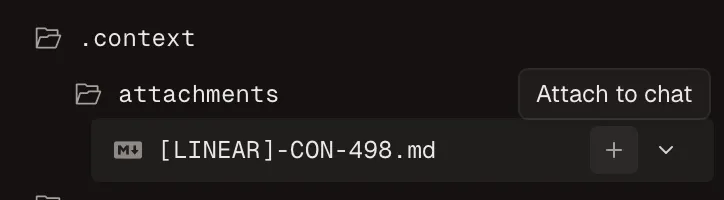
Click the plus icon to attach files directly in the chat.
Navigate chat with your keyboard
You can now navigate a chat with your keyboard. Navigate with arrow keys or vim style j k .
We’ve also added a new shortcut for toggles the sidebars with [ and ] keys.
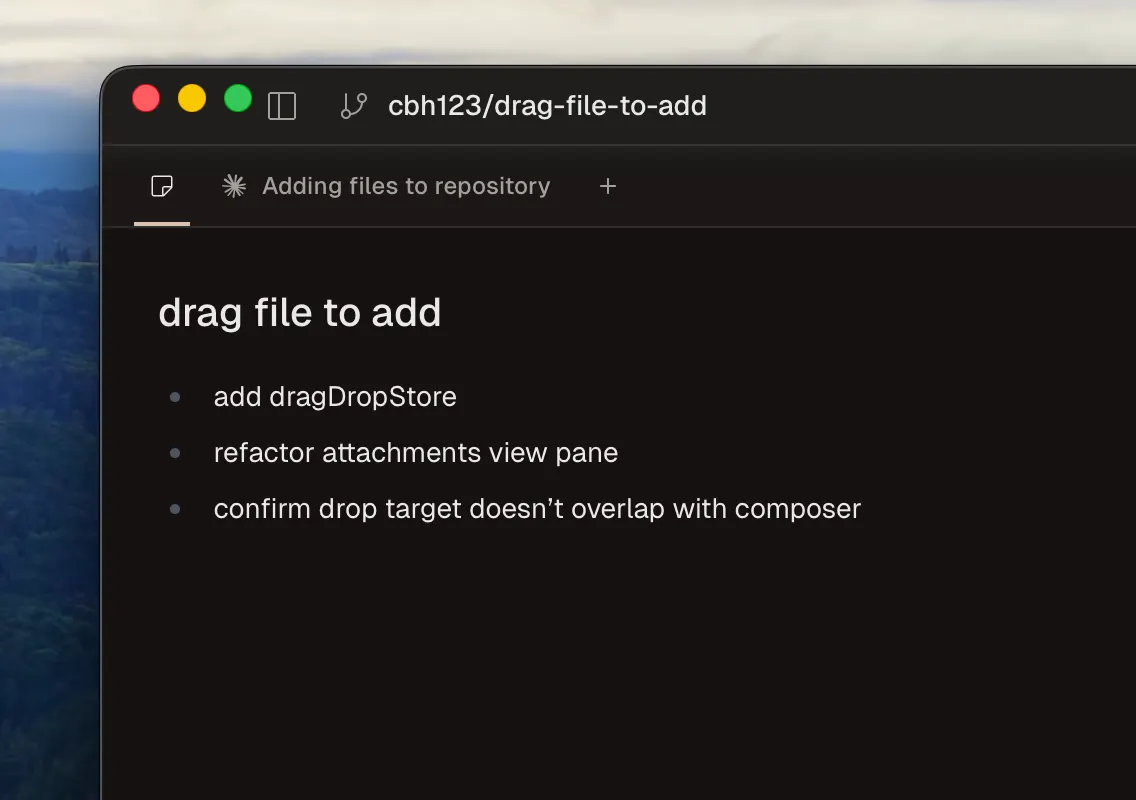
WYSIWYG Notes
Notes tab now support rich markdown previews:
Improvements:
- Viewing PRs in GitHub is now instant
- Made it more obvious when historical changes are being viewed (and how to exit the view)
- Hover the duration of a response to see more metadata (start time, end time, and model name)
- Permission mode changes are now sent to Claude in real time
- Added feedback in the UI when run scripts are stopping/starting
Fixes:
- Fixed default branch detection for locally-created repositories
- Fixed lag when toggling sidebar visibility
- Fixed UI jank when cancelling
- Fixed the “Fix Errors” button not sending logs to the agent when some workflows were still in progress
- Fixed a bug where messages could not be sent after cancelling in Codex chats
Misc:
- We’ve disabled GPT-5.2-Codex for API key users since it’s not available for API users yet. We recommend using an OpenAI subscription if you want to use GPT-5.2-Codex.
- We’ve moved repository settings to the Settings page (
⌘,) - Visual cleanups in the composer, chat, sidebar, and elsewhere